Product Design
From concept to live product:
Designing a real-time AI assistant for complex enterprise calls

Context
DeltaGen was building a desktop product for enterprise sales teams in technically complex industries. The product supported sales representatives during live calls by surfacing contextual answers, qualification prompts, summaries, and next-step guidance in real time.
I was designing for a very specific moment: a live, high-pressure environment where speed, clarity, and trust matter more than feature richness. That created a different kind of UX challenge — the interface had to stay glanceable, fast, and non-disruptive under pressure.
Enterprise sales reps often struggle in live conversations for two reasons:
They don’t always know which questions to ask next to properly qualify the opportunity.
They lose momentum when technical or product-specific questions come up.
As a result, teams rely heavily on sales engineers, qualification signals become inconsistent, and important deal context gets lost.
The business opportunity was not just to “answer hard questions,” but to help teams run better discovery, improve consistency, and reduce dependency on expert support during calls.
As the Product Designer leading this project, I worked across product strategy, UX, UI, prototyping, and product storytelling. My focus was on designing for real-time usage: shaping the core interaction model, reducing cognitive load, establishing clear information hierarchy, and making AI output feel useful and trustworthy in the middle of a live call.
I also helped translate the product into external-facing materials — including demos, website content, one-pagers, investor and conference presentations, marketing emails, and LinkedIn ads — so the experience felt coherent both inside the product and across the brand.
Constraints
Designing for live calls came with unusual constraints:
User’s primary attention had to stay on the conversation, not the app
Interface had to work in seconds, not minutes
Long text was effectively useless in a live setting
Responses needed to feel trustworthy, even when generated dynamically
Product had to support multiple jobs: answering questions, prompting discovery, and summarizing conversation signals
UI had to fit into an already crowded workflow with Zoom, CRM, notes, and internal documentation
This meant that traditional dashboard thinking was not enough. I had to design for interrupted attention, fast scanning, and confidence under pressure.
What I learned first
At the beginning, the product was being developed in stealth mode, so I could not rely on a traditional user research process. Operating without direct user access, I built the initial framework by synthesizing insights from internal stakeholder workshops and benchmarking against standard B2B sales playbooks. From there, I started from first principles: understanding the decision-making pressure of live calls, mapping the user’s limited attention, and identifying what information would actually be useful in the moment.
That approach helped us form early hypotheses, but as the product matured, we layered in tighter feedback loops through design partnerships and real usage data. I began conducting user interviews, reviewing product analytics, and sharing recurring usage patterns and insights with the team on a weekly basis to inform product decisions.
Through that combination of first-principles thinking, observation of product flows, and iterative feedback, a few patterns became clear:
Users would ignore dense output during live calls
Mixed-purpose screens created hesitation
Technical answers and qualification prompts solved different jobs and should not compete visually
The product needed to support confidence, not just information retrieval
Speed and timing mattered as much as content quality
Design principles
1. Glanceable, not readable
If a user had to read a paragraph during a live call, the design had already failed.
2. One job per moment
Discovery guidance, technical answers, and summaries solve different needs and should not compete in the same space.
3. Support the human, don’t replace them
The interface should increase confidence and consistency, not take over the conversation.
4. Fit the existing workflow
The product had to complement live calls, CRM workflows, and post-call systems instead of asking users to change how they already work.
5. Trust comes from structure
Clear sourcing, concise language, and predictable UI patterns matter more than novelty in AI-driven experiences.
Key outcomes and results
20+ enterprise clients
Secured within the first 3 months through rapid UI iterations and custom account onboarding flows.$600K ARR in the first 90 days
Fueled by strong early customer traction and high-conviction product demos.2× adoption after simplifying the UI
Achieved by ruthlessly simplifying the real-time interface and reducing workflow friction.Clear foundation for the V1 roadmap
Established clear interaction patterns, reusable UI components, and long-term product direction.
Key design decisions
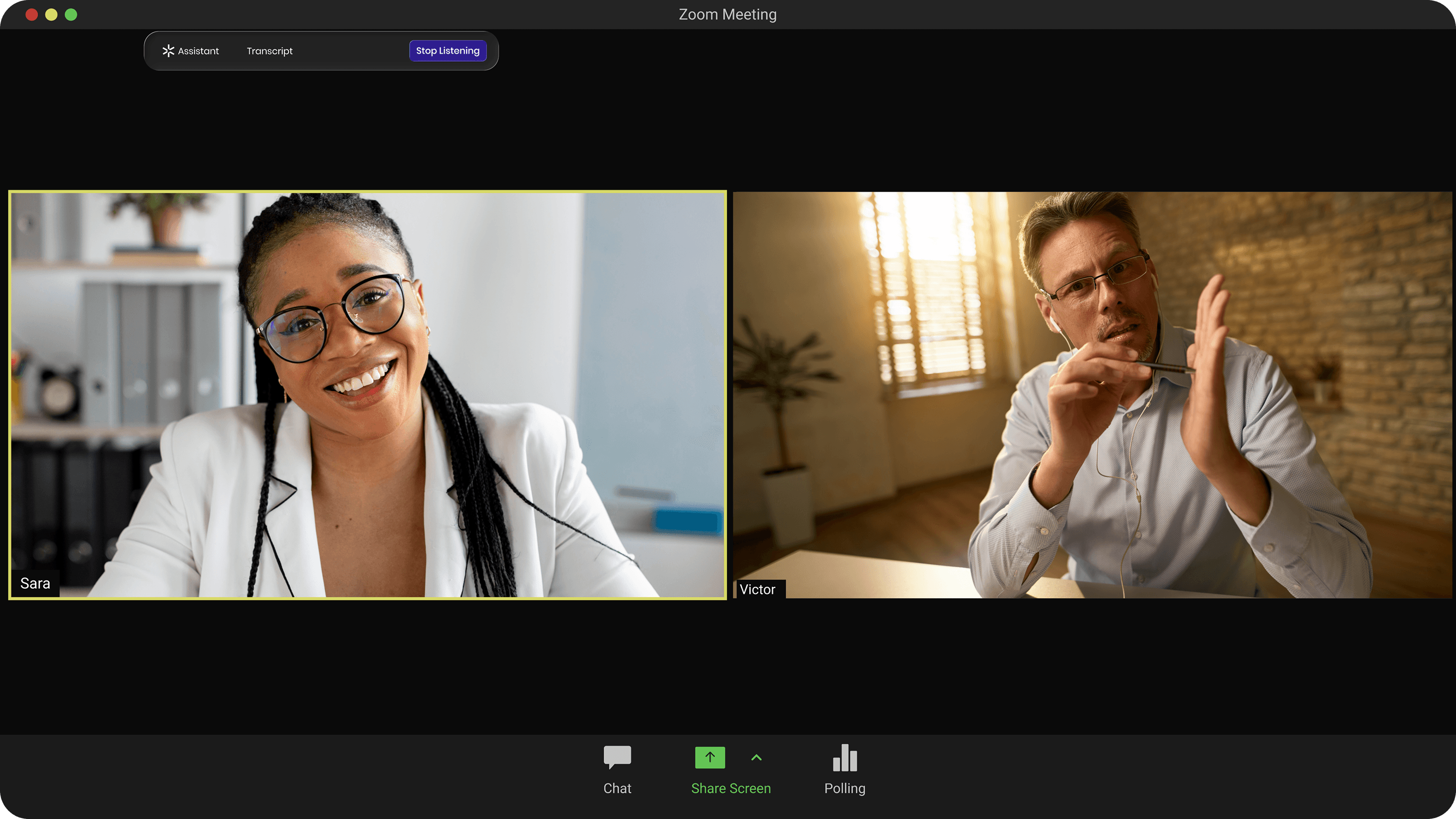
The assistant had to be available during the call without becoming another source of distraction or friction.
Pre-call notification to activate the assistant before the meeting starts
Local audio processing, so the app never joins the call as a participant
A floating interface that stays outside the main communication flow
I designed the experience to feel like a lightweight support layer rather than another participant in the meeting. Activating the assistant before the call reduced setup friction in the moment. Local audio processing kept the product invisible to the customer. And the floating interface made it accessible without competing with the conversation for primary attention.

The assistant needed to stay available without occupying screen space when the rep did not actively need support.
A single-row collapsed version of the app
Instant expand/collapse interaction
Only core information visible in the minimized state
I designed the interface to compress into a minimal single-row state so it could stay present without becoming visually demanding. Instant expand/collapse made it easy to access support only when needed. Showing only core information in the minimized view helped the product stay lightweight, support multitasking, and reduce visual noise during the call.
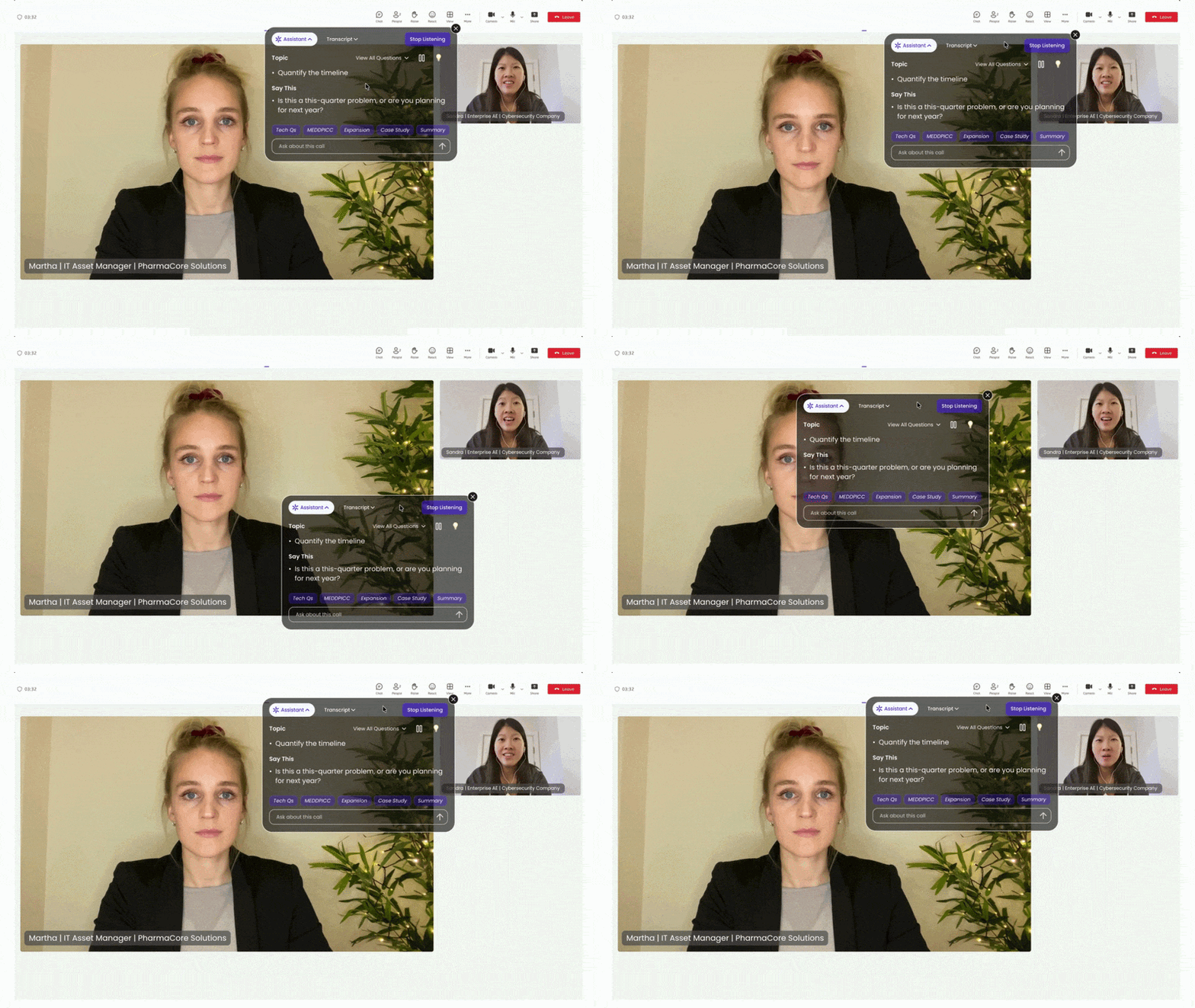
The assistant had to remain visible and useful without blocking the customer’s face or disrupting the human dynamics of the conversation.
A translucent, glassmorphism-based UI
Floating placement along unused screen edges
An adaptive layout designed to avoid covering video tiles
I treated the customer’s face and body language as essential parts of the workflow, not background content. The translucent UI reduced visual heaviness, while edge placement and adaptive layout helped keep the main video area clear. This allowed the product to support the call without interfering with the rep’s ability to read emotions and stay connected to the other person.
The interface had to support fast decision-making during live calls without adding any unnecessary complexity.
Only essential actions visible at any given moment
Buttons labeled with clear action verbs
No nested menus or deep navigation
Predictable system states such as Listening, Analyzing, and Answering
I designed the product to remove as much interface complexity as possible from an already demanding situation. Limiting visible actions reduced decision fatigue in the moment. Clear labels made interactions easier to interpret quickly, while shallow navigation kept users from getting lost. Predictable system states helped users understand what the assistant was doing at any given time, which increased clarity and trust.
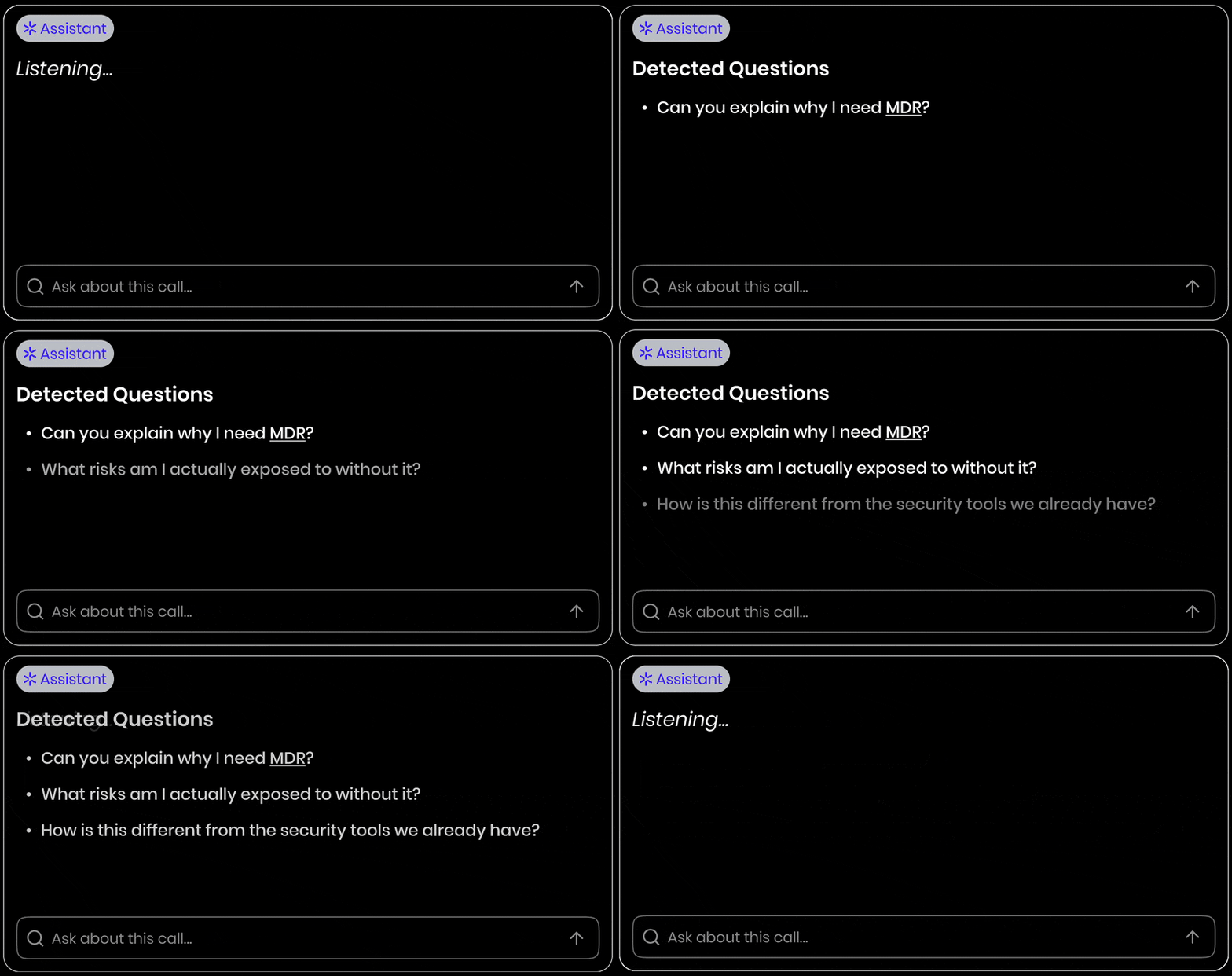
The assistant had to support the rep in real time without pulling their attention away from the conversation itself.
Real-time prompts surfaced within the flow of the call
Minimal text and scannable formatting
Automatic summaries and suggested answers
Speed-dial actions for faster access to complex replies
I designed the interaction model to support speaking, not reading. Real-time prompts helped the assistant feel embedded in the conversation rather than separate from it. Minimal text and scannable formatting reduced the need for attention-heavy reading. Automatic summaries and suggested answers lowered effort in the moment, while speed-dial actions made it easier to respond quickly without breaking conversational flow.
I designed the experience around three moments — before, during, and immediately after the call — because the user’s needs changed at each stage of the workflow.
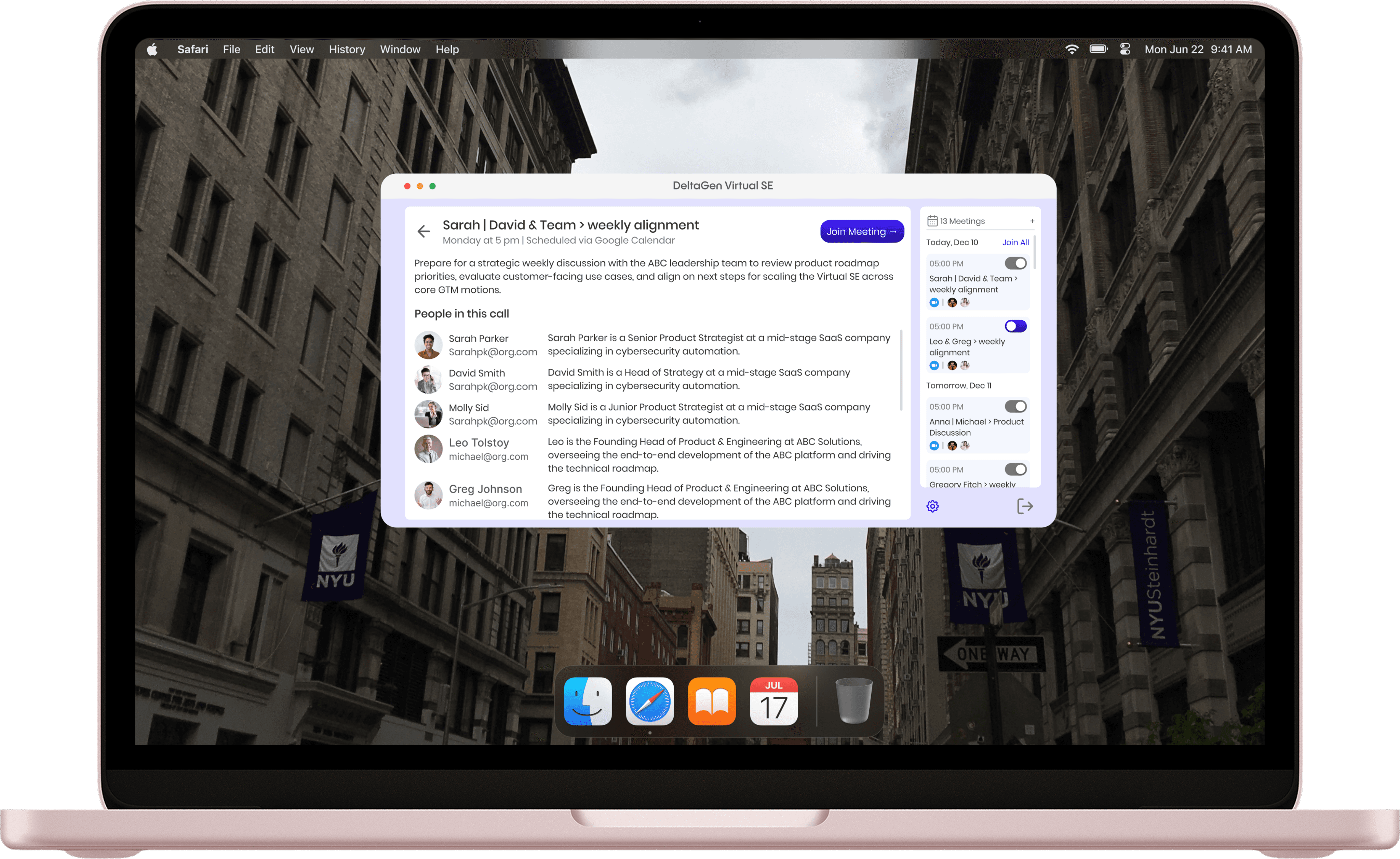
The product helped users quickly orient themselves with relevant context and prepare without adding unnecessary setup friction.
Relevant account and meeting context
Prior information and conversation history
Lightweight setup before the call starts
The product surfaced concise prompts and answers without pulling attention away from the conversation itself.
Live answers to technical and product-specific questions
Real-time qualification prompts
Minimal visual footprint
Fast, scannable information hierarchy

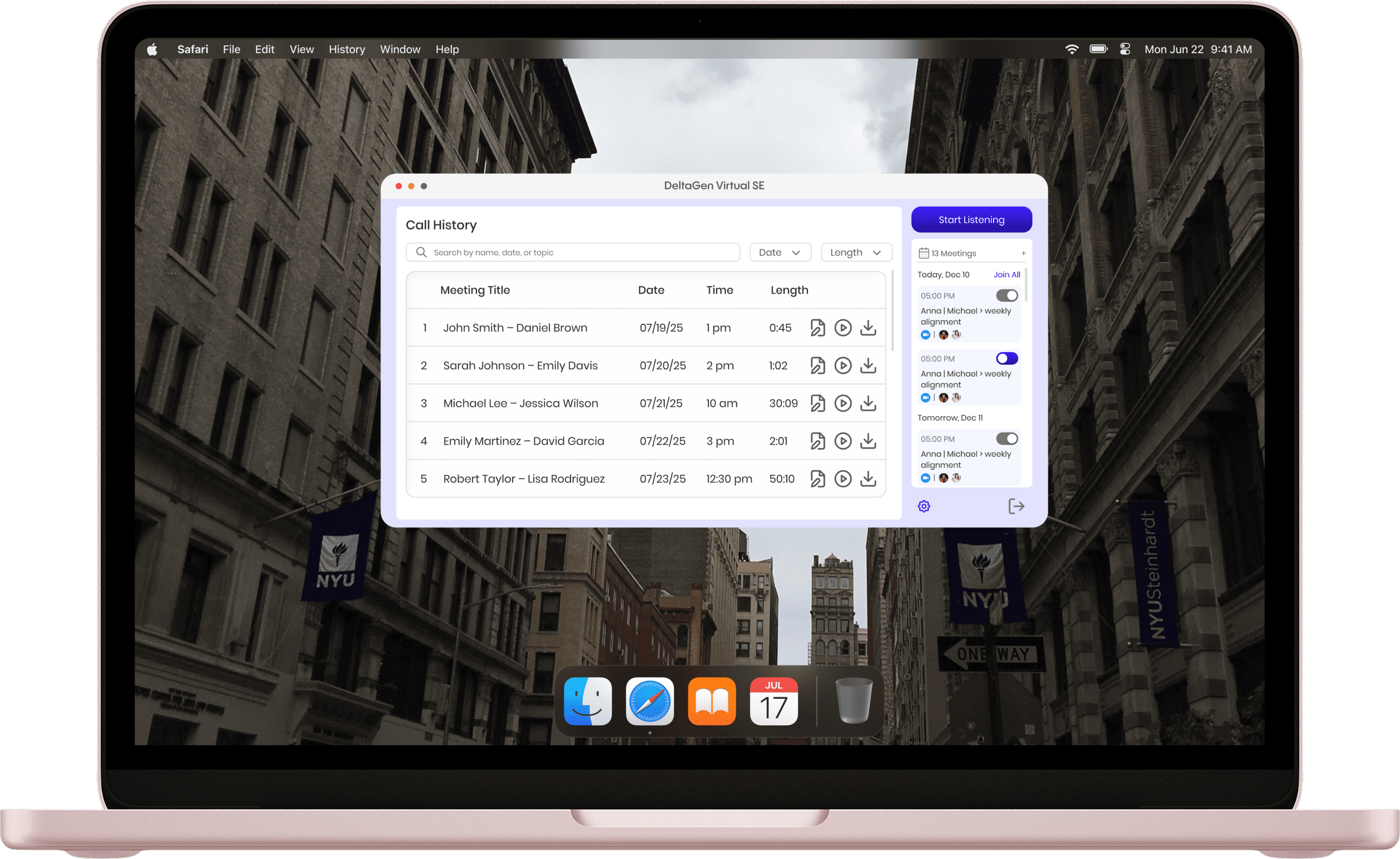
The product transformed the discussion into structured outputs that could be reused by the team.
Summaries
Next steps
Structured handoff and CRM-ready insights
Impact
The product was first introduced through a design partnership program with early enterprise customers.
Launched with 5 enterprise design partners
Supported through weekly calls and continuous feedback loops
Iterated rapidly through near-daily UI updates during the first month
2× Adoption after simplifying the UI
The Impact: Our initial release proved that sales reps ignore dense data during live calls. By shifting to a glanceable, single-row collapsed interface (Objective #2) and stripping away nested menus, we cut cognitive load in half. This directly led to a 2x increase in daily active usage among our design partners.20+ enterprise clients & $600K ARR in the first 90 days
The Impact: Enterprise sales are high-stakes. By designing a non-disruptive, edge-placed layout (Objective #3) and clear system states (Objective #4), we built an experience that felt safe and trustworthy. This core UX became the centerpiece of early sales demos and go-to-market storytelling, helping the team secure 20+ clients and hit $600K ARR in under 3 months.A clear, scalable foundation for the V1 Roadmap
The Impact: Beyond immediate commercial success, this project de-risked our future engineering efforts. The modular interaction models, speed-dial actions, and predictable layout rules we established created a reusable UI pattern library, effectively defining DeltaGen’s long-term product foundations.
This work helped define the company’s core product direction and shaped an experience that became central to early demos, pilot conversations, and go-to-market storytelling. It also clarified the interaction model, reduced feature sprawl, and established reusable UI patterns that supported future product development.
Reflection
This project taught me how different real-time product design is from standard SaaS design. In a live environment, even small UX decisions have outsized consequences: too much text creates friction, too many options create hesitation, and unclear structure erodes trust quickly.
My biggest takeaway was that designing AI products is often less about adding intelligence and more about shaping the right moment, the right level of visibility, and the right amount of confidence for the user.